ScaffoldIQ
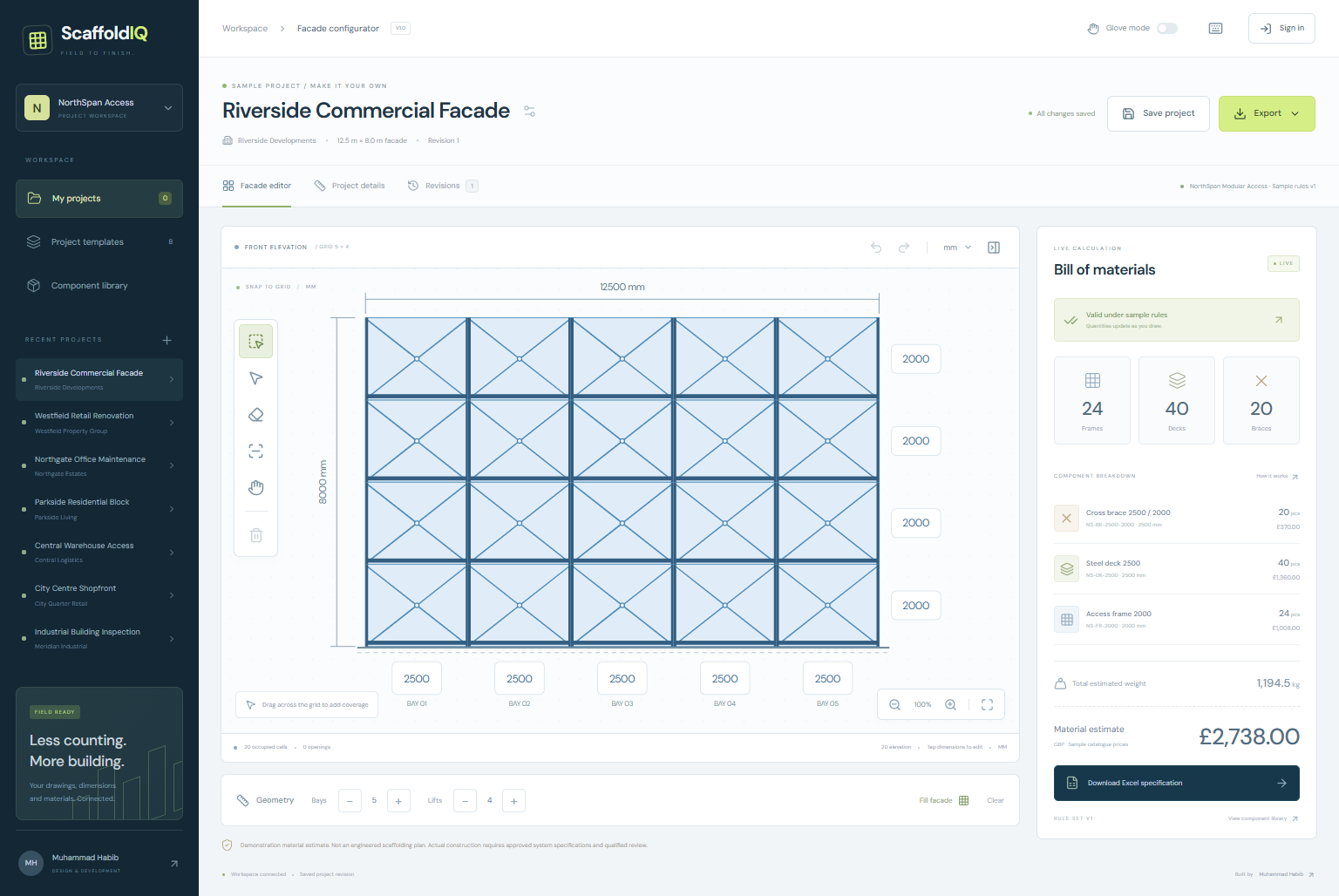
Draw the facade. See the material schedule.
Draw the facade. See the material schedule.
A touch-friendly SVG drawing workspace with snapping, direct dimensions, undo/redo and live catalogue-based material calculations.
UI/UX Designer for Web-Based Scaffolding Configurator — Mobile Landscape & Desktop.
Build a mobile-landscape-first scaffolding drawing experience that enables facade measurement, grid-based configuration, and instant Bill of Materials calculations.
The problem to solve
Field measurements often have to be re-entered into spreadsheets before anyone can count components, price an estimate or revise it.
How it works
- 01Drag across the grid to define scaffold coverage.
- 02Adjust dimensions and inspect frames, decks, braces, weight and price.
- 03Save a revision and export PNG, SVG or a four-sheet Excel specification.
Core capabilities
- SVG-based drawing
- Interactive grid
- Drag-to-fill
- Dimension editing
- Touch interactions
- Undo/redo
- Material calculation
- Frame/deck/brace quantities
Implemented technology
The engineering details
Shared frame boundaries are counted once per lift.
The browser and server calculation engines are cross-checked against the same reference cases.
Catalogue snapshots preserve historical prices until an explicit refresh.
Scope & implementation notes
The component catalogue and assembly rules are fictional sample data. Outputs are preliminary material estimates, not engineered or construction-approved plans.
The supplied live address did not resolve during verification. The screenshots show the actual locally built application.
An independent application inspired by a real client job brief. The capabilities and technical notes describe the built implementation; they do not imply a paid commission, real customer outcomes or connections to services that have not been verified.